Python Scripting
Run your own Python over loaded signals — smoothing, background subtraction, region statistics, custom transforms — and get the results back as new signals on the timeline.
Scripting is included in every Nexus release and on every plan, Free included.
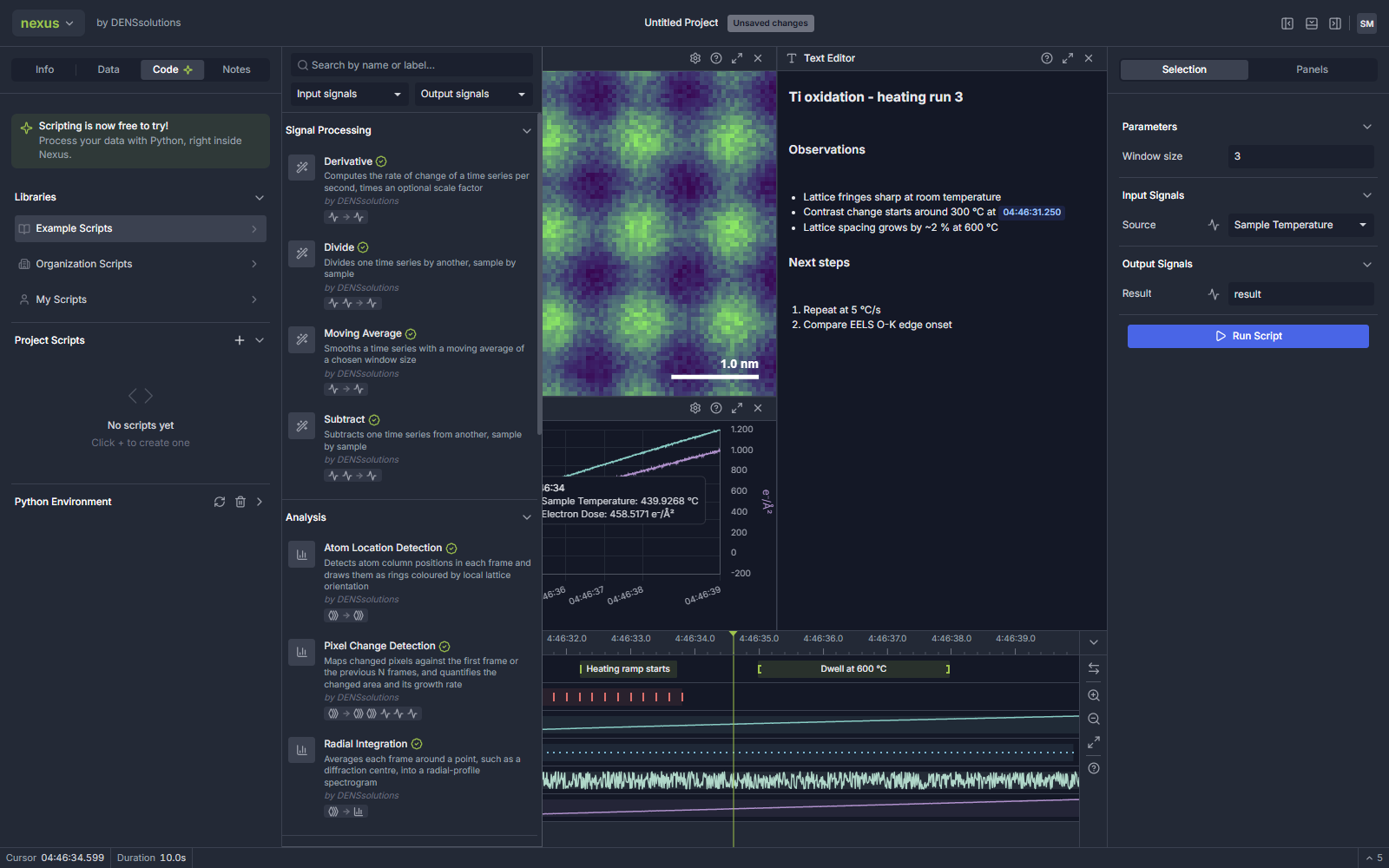
Overview
The Code tab (left panel) is a small Python IDE built into Nexus. A script:
- reads one or more loaded signals through the
nexusAPI, - optionally exposes parameters and input/output bindings you set in the interface,
- computes a result with plain Python + NumPy,
- and writes it back as a new signal with
nexus.set_signal(...).
Scripts run out of process in a managed Python environment, so a crashing or runaway script cannot take down Nexus, and the packages a script needs are installed into an app-managed virtual environment — never your system Python. See Python Environment.
Running your first script
- Load a dataset so you have at least one signal (see Loading Files).
- Open the Code tab in the left panel. A starter script is provided.
- In the right-hand Selection panel, bind the script’s input to one of your signals and set any parameters.
- Click Run Script.
- The result appears in the Workspace as a script-run folder, and its output signals can be added to the canvas and timeline like any other signal.
The starter script computes a moving average over a 0Dts (scalar-vs-time) signal:
import nexus

# Declare a parameter, an input and an output (bind them in the Code tab).
params = nexus.add_parameters({
    "window": {"type": "number", "title": "Window size", "default": 3, "min": 1, "max": 99, "step": 1},
})
inp = nexus.add_inputs({"src": {"title": "Source", "signal_type": "0Dts", "default": ""}})
out = nexus.add_outputs({"result": {"title": "Result", "signal_type": "0Dts", "default": "result"}})

signal = nexus.get_signal(inp["src"])
data = signal.get_data()

# Simple moving average over the chosen window.
window = int(params["window"])
smoothed = []
for i in range(len(data)):
    lo = max(0, i - window + 1)
    smoothed.append(sum(data[lo:i + 1]) / (i - lo + 1))

nexus.set_signal(out["result"], smoothed, units=signal.metadata.get("units", ""))
print(f"Smoothed {len(data)} points (window={window})")
Anything a script prints appears in the Output panel below the editor.
Example scripts
You don’t have to start from a blank editor. The Example Scripts library in the Code tab holds 17 ready-made scripts. Open one, bind its inputs and run it as it is, or use it as a starting point for your own:
| Category | Scripts |
|---|---|
| Signal Processing | Derivative, Divide, Moving Average, Subtract |
| Analysis | Atom Location Detection, Pixel Change Detection, Radial Integration |
| Image Processing | 2D FFT, Calibrate Pixel Size, Crop to ROI, Drift Correction, Intensity Thresholding & Segmentation, Line Profile Spectrogram, PCA Denoising, Rotate & Flip, Spatial Pixel Binning, Stitch Image Stack |
The Code tab also lists Organization Scripts, shared with everyone in your organization, and My Scripts, the scripts you saved yourself.
PCA Denoising installs scikit-learn into the Python environment the first time it runs, so that first run needs a network connection.
In this section
- Writing Scripts — the
nexusAPI: reading signals, declaring parameters/inputs/outputs, and writing results. - Parameters & Pickers — parameter controls, the coordinate/intensity/timestamp/ROI pickers, and reading drawn annotations.
- Python Environment — viewing installed packages, installing new ones, and the missing-package prompt.
- Re-running Scripts — editing a run’s parameters and re-running it in place.
- API Reference — the complete, self-contained
nexusAPI specification for developers and AI code agents.
Scripts run with the same privileges as Nexus itself (full file and network access). Only run scripts you trust.